
Built for SOSA® 2.0 · Community free for members · Pro in free trial
Build valid AMPS strings in seconds.
AMPS Whiz™ is the modern way to build and validate SOSA® 2.0 AMPS strings, with live validation, a full keying engine, and a fast, accurate workflow built for engineers. And it's only the beginning.
Air-gap ready · Fully offline · Windows · macOS · Linux · Pro in free trial
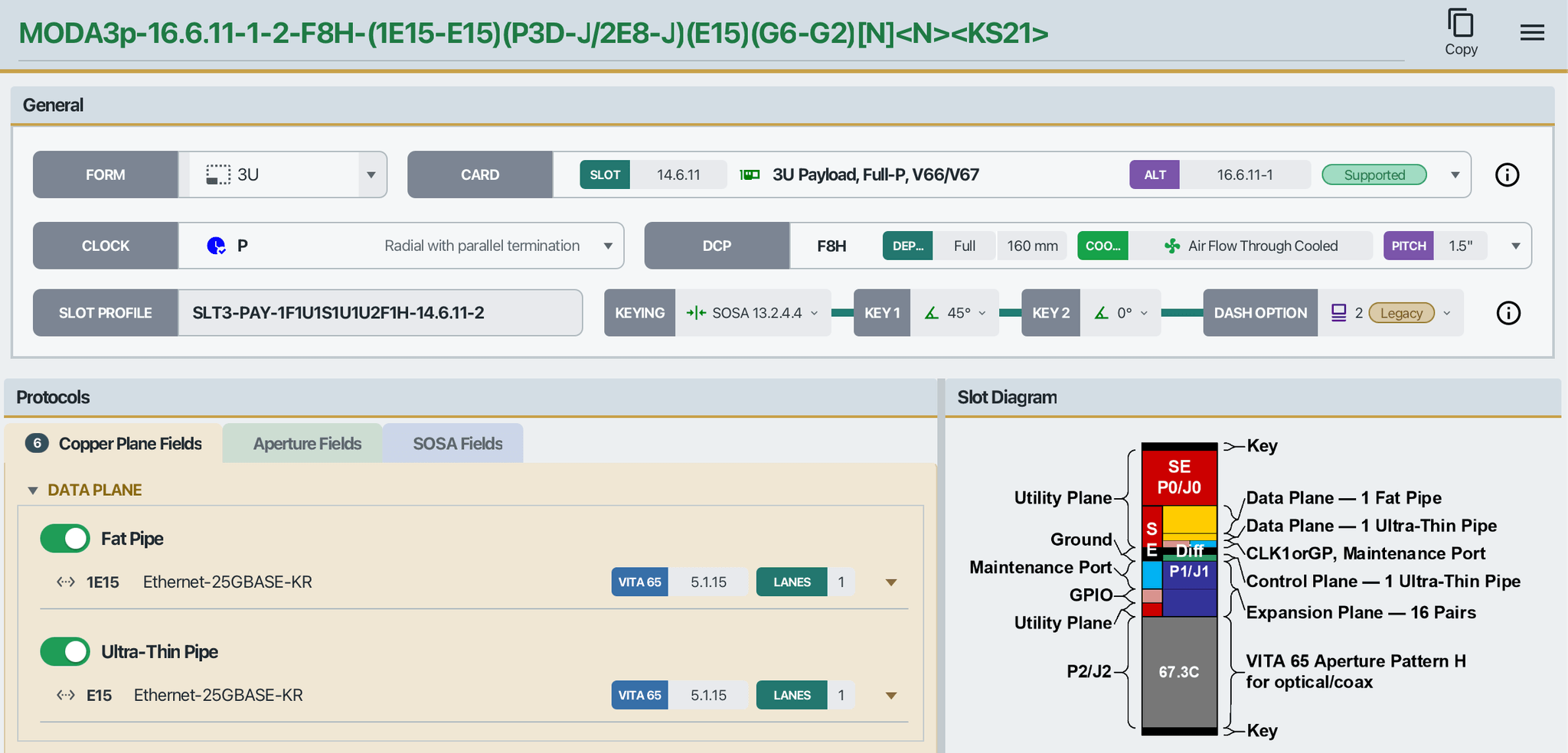
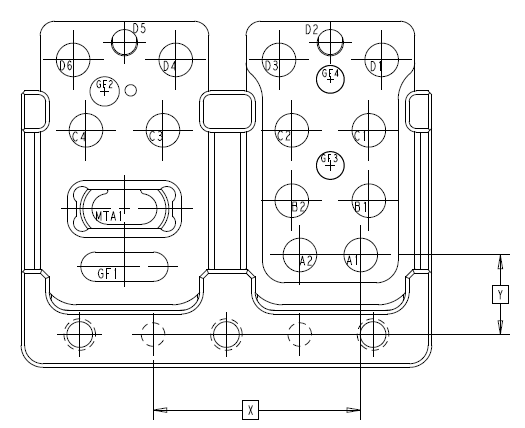
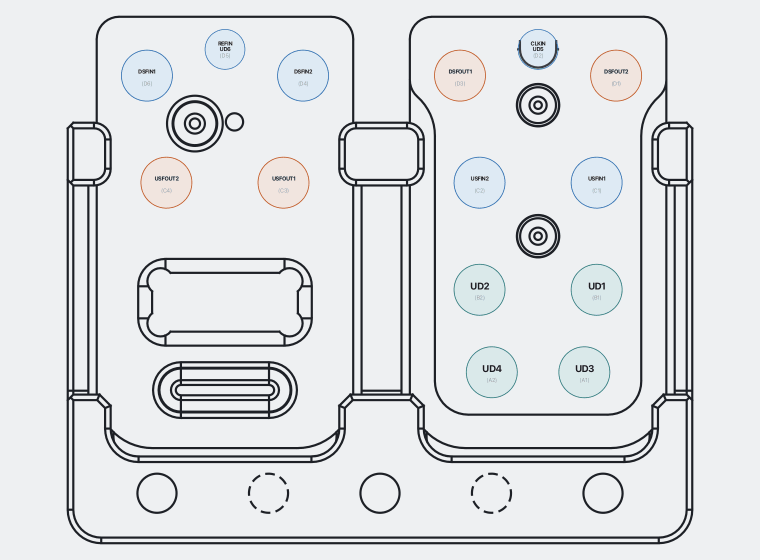
What you get in Community
Everything you need to build and validate an AMPS string
Polished, standard-aware, and complete. None of it is held back.
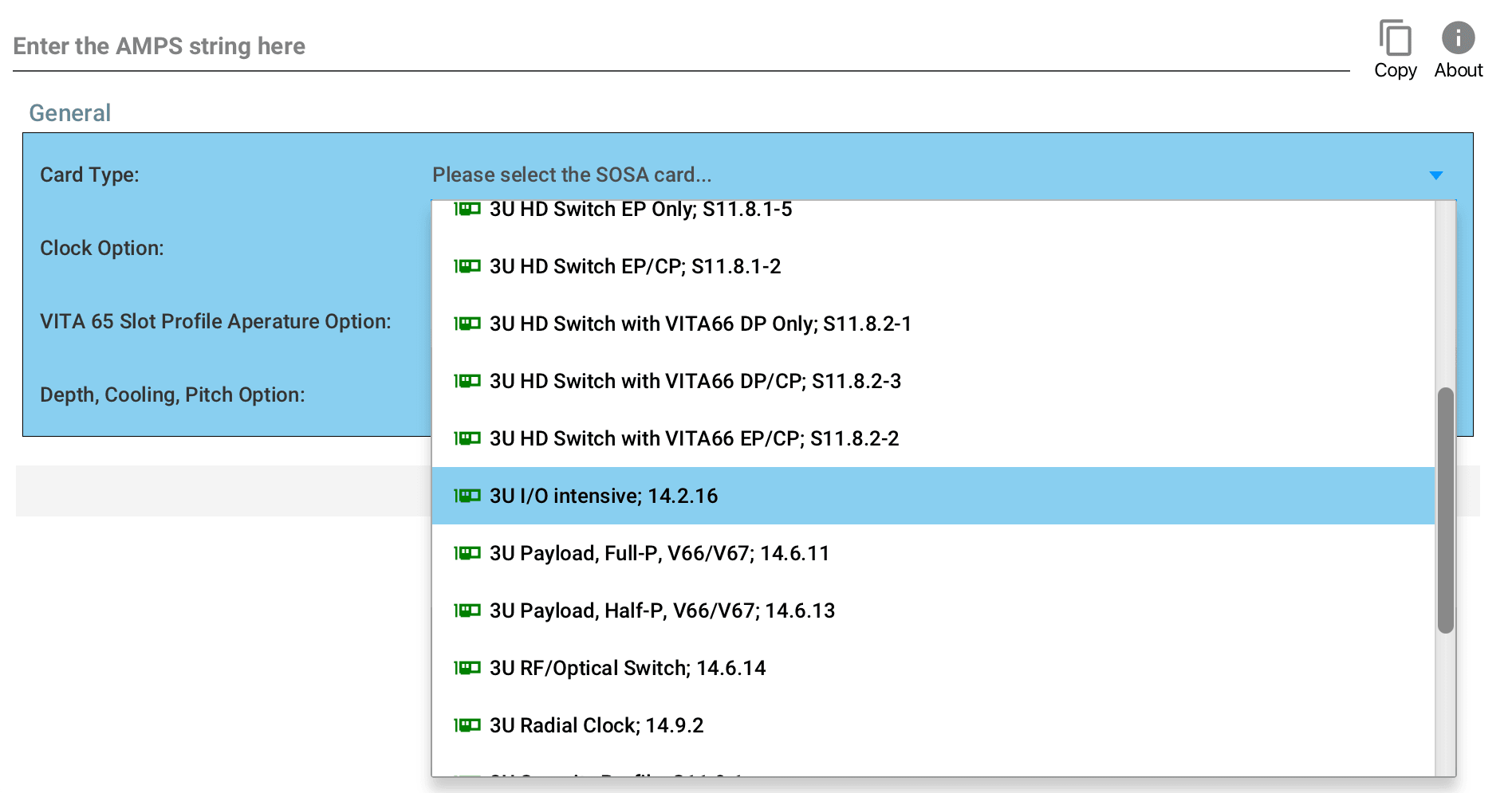
Only valid choices, ever.
Cascading, standard-aware dropdowns assemble the string as you go. You never see an option that wouldn't be valid here. It round-trips losslessly: build, copy, paste, reload, identical. SOSA, Custom and Unkeyed keying modes are supported, with bidirectional sync.
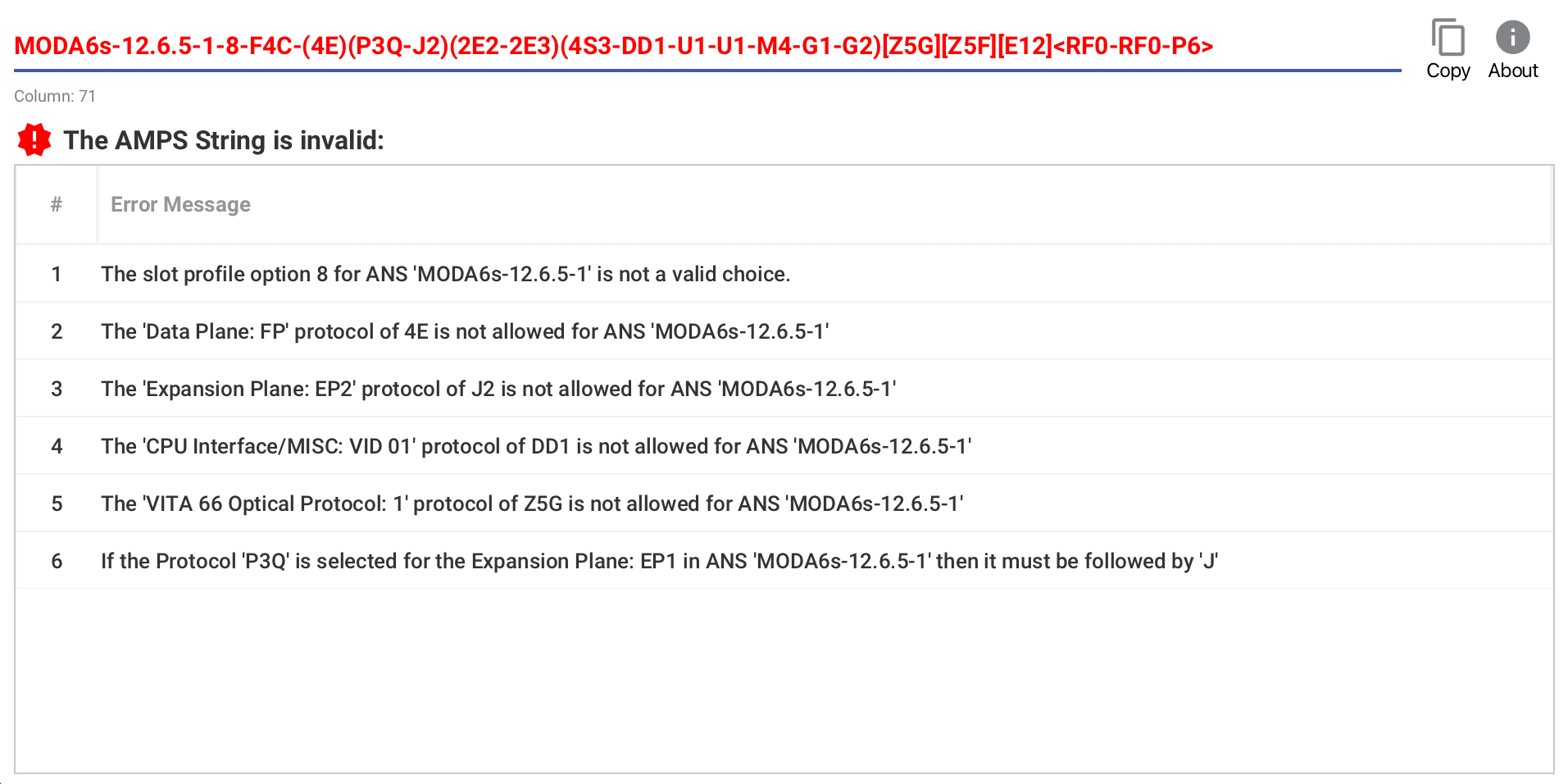
Catch mistakes the instant they happen.
Live validation pinpoints the exact character and explains what's wrong, with navigable, structured errors backed by a real grammar for true accuracy. No guesswork, just clear, caret-level feedback as you type.
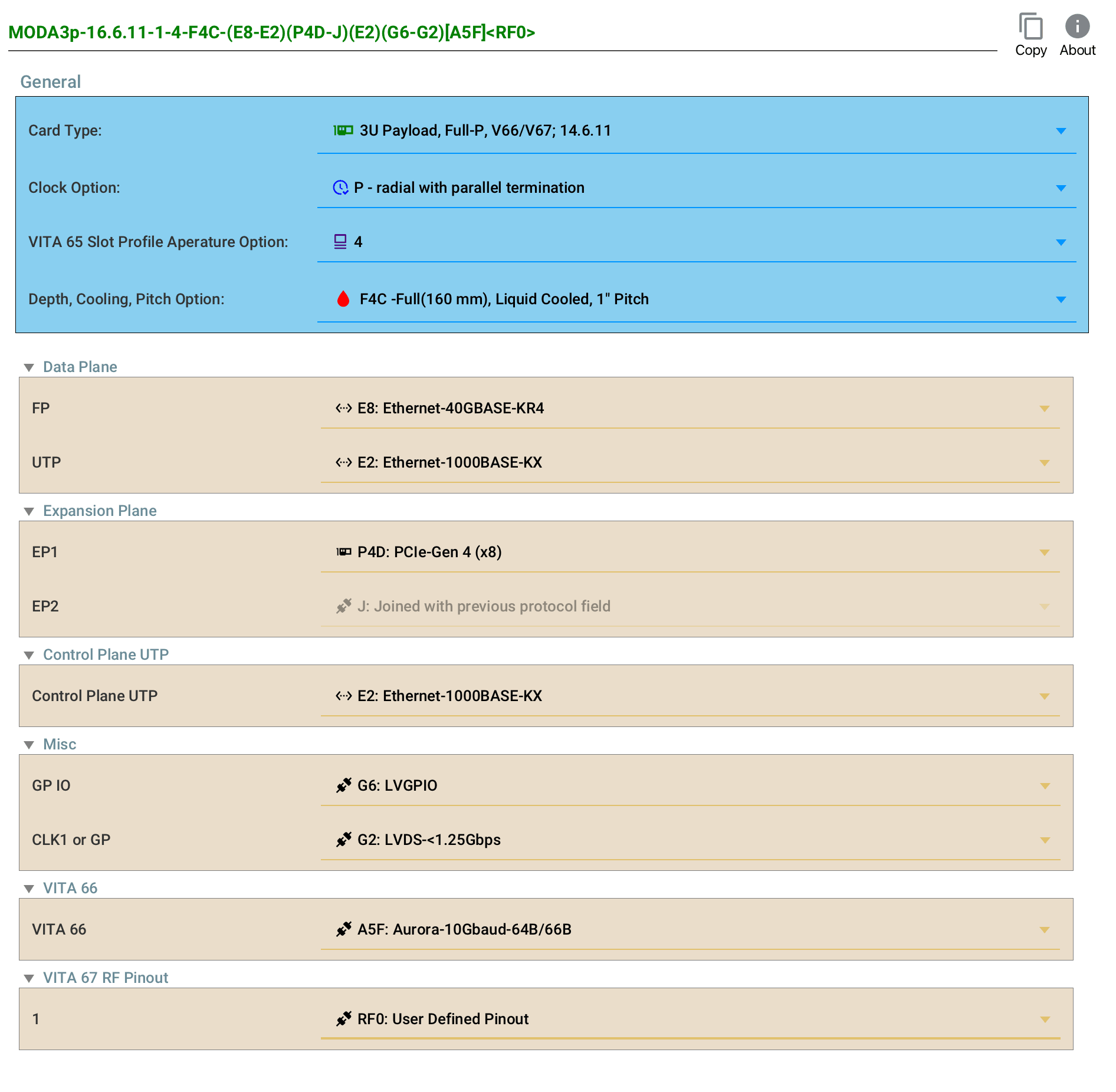
Already have a string? Paste it in.
AMPS Whiz parses and explains any AMPS string, valid or not, with the full keying engine and joint-protocol handling behind it. Options that span two consecutive slots are handled end-to-end, with the right coupling and correct two-token output.
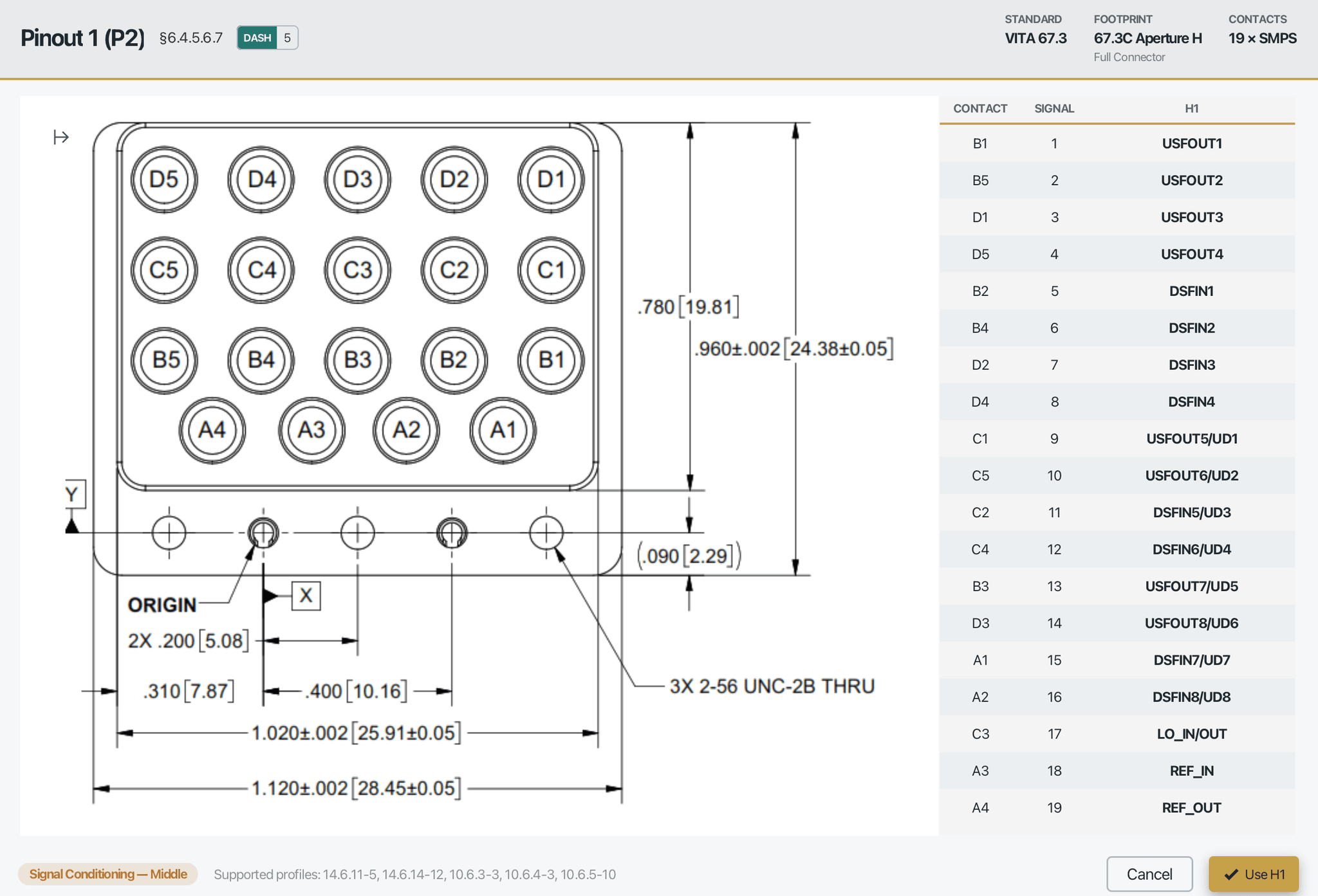
Look up any connector's pinout.
Open any RF connector to see the figure straight from the standard, with the full contact and signal table beside it. It is the fast way to check a configuration without digging through the document. Pro turns this into a live, signal-mapped diagram you can click.
Community is free for SOSA® members.
Request access and we'll email your download link.

Build every profile. Watch it come to life.
Pro builds every SOSA® 2.0 slot profile, not just the two Community samples. A color-coded Guided AMPS String shows you the shape of what you are typing, the Error Navigator jumps straight to anything wrong, and both diagrams rebuild live as you work — zoom, pan, click any slot or pin, and export a crisp PNG.
Read your string as you write it.
The Guided AMPS String color-codes every field as you type — module, form factor, clock, keying — and a legend names each part. Move the caret and the matching control lights up, so you always know exactly where you are.
Jump straight to what's wrong.
The Error Navigator lists every problem in your string and walks you to each one. Step through with the arrows, watch each error highlight in place, and apply the inline fix — no more hunting for a stray character.
Compare every dash, side by side.
Open the dash picker and Pro trades the plain dropdown for a full matrix — every dash across the top, every position down the side, each drawn as its own vector figure. Choose the one that fits without cross-referencing the standard.
See your profile take shape, live.
The interactive vector slot diagram fills as you build. Use multipliers to scale a pipe, watch per-pool capacity bars track every lane against real port names, then zoom, pan, and click any block to inspect it. Export a crisp 2x PNG for reviews. Build every SOSA® profile, not only the two samples.
Every contact, mapped and live.
Pro draws each connector's signals onto the contacts, color coded by direction. Click a pin to highlight its row in the table and back again, recolor with a theme, zoom in, and export. No more cross referencing tables by hand.
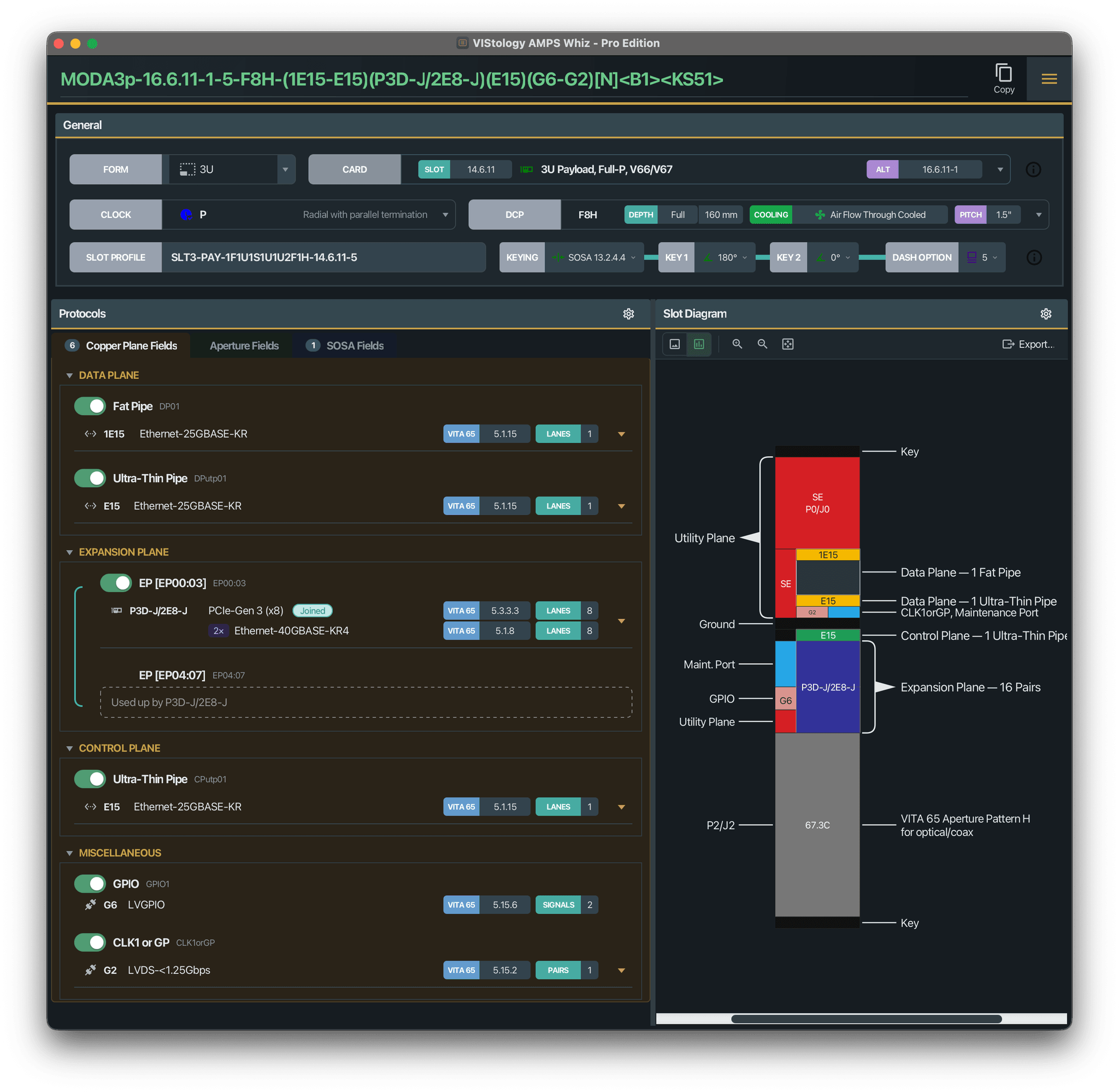
Built for long sessions.
Work in a full dark theme with themeable diagram colors. The capacity bars, port labels, and both live diagrams come along, so your eyes stay comfortable through a long build.
Free trial for SOSA® members until SOSA® 2.0 is published as a public standard. SOSA® 2.0 is still a work in progress, available only to Consortium members. We’re building AMPS Whiz around member feedback during this period; Pro licensing opens when the standard goes public.
Community vs Pro
What's in each edition
| Feature | CommunityFree | ProFree trial |
|---|---|---|
| Read and understand any AMPS string | ||
| Parse & validate any AMPS string | ✓ | ✓ |
| Live validation as you type | ✓ | ✓ |
| Full keying engine (SOSA / Custom / Unkeyed) | ✓ | ✓ |
| Joint-protocol support | ✓ | ✓ |
| Browse every card, inspect any card read-only | ✓ | ✓ |
| VITA 65 and VITA 90 protocol references | ✓ | ✓ |
| Build | ||
| Build the sample profiles (14.6.11, 10.6.4) | ✓ | ✓ |
| Build every SOSA® profile | — | ✓ |
| Guided AMPS String — color-coded, caret-aware editor | — | ✓ |
| Error Navigator — every problem listed, one click to the fix | — | ✓ |
| Dash-option comparison — every dash side by side | — | ✓ |
| Diagrams and pinouts | ||
| Static slot-diagram figure | ✓ | ✓ |
| Connector pinout figure + contact table (zoom & pan) | ✓ | ✓ |
| Interactive slot diagram — rebuilds as you type, zoom / pan / click | — | ✓ |
| Interactive signal-mapped RF pinout — all 28 configurations | — | ✓ |
| Multipliers + per-pool capacity bars with real port names | — | ✓ |
| PNG export at 2× — slot diagram and RF pinout | — | ✓ |
| Comfort and control | ||
| Offline · Windows / macOS / Linux | ✓ | ✓ |
| In-app update notifications | ✓ | ✓ |
| Dark mode | — | ✓ |
| Diagram color schemes and label controls | — | ✓ |
| Port designations from the VITA port tables | — | ✓ |
CommunityFree
- Parse & validate any AMPS string
- Live validation as you type
- Full keying engine (SOSA / Custom / Unkeyed)
- Joint-protocol support
- Browse every card, inspect any card read-only
- VITA 65 and VITA 90 protocol references
- Build the sample profiles (14.6.11, 10.6.4)
- Static slot-diagram figure
- Connector pinout figure + contact table (zoom & pan)
- Offline · Windows / macOS / Linux
- In-app update notifications
ProFree trial
Everything in Community, plus:
- Build every SOSA® profile
- Guided AMPS String — color-coded, caret-aware editor
- Error Navigator — every problem listed, one click to the fix
- Dash-option comparison — every dash side by side
- Interactive slot diagram — rebuilds as you type, zoom / pan / click
- Interactive signal-mapped RF pinout — all 28 configurations
- Multipliers + per-pool capacity bars with real port names
- PNG export at 2× — slot diagram and RF pinout
- Dark mode
- Diagram color schemes and label controls
- Port designations from the VITA port tables
…and much more coming to Pro.
Get AMPS Whiz
Community today, with Pro in free trial
AMPS Whiz™ Community is available now, and the Pro trial is open too until SOSA® 2.0 is published as a public standard. Tell us a few details and we'll email your download link. Enterprise is on the way.
Natively supported on Windows, macOS, and Linux.
Community
Free
Everything shown above, with no feature held back.
Pro
Free trial
The full builder + visual tools, with every SOSA® profile.

Enterprise
For teams and programs at scale. More to share down the road.
Both editions require SOSA® Consortium membership. Community is free for members; Pro is a free trial until SOSA® 2.0 is published as a public standard. We verify membership by hand before sending any download link.
Latest release · AMPS Whiz™ Community 2.1.0 · redistribution is not permitted.